Title research
Title research — built into YouTube Title Extractor to streamline your workflow.
Paste a YouTube video or Shorts link and copy the exact current title for SEO research, swipe files, and mobile workflows.
Copy the exact title from any YouTube video by pasting its URL — free and instant. Built for speed, accuracy, and ease of use — no signup required.
Title research — built into YouTube Title Extractor to streamline your workflow.
Metadata — built into YouTube Title Extractor to streamline your workflow.
Copy-ready — built into YouTube Title Extractor to streamline your workflow.
Use the tool immediately without creating an account, signing in, or installing anything.
Leverages intelligent algorithms to generate results tailored to your niche and audience.
No hidden fees, no premium tiers, no credit card walls. Every feature is free.
YouTube allows up to 100 characters in a video title.
Most search and feed previews cut titles around this range.
Titles are the metadata field most directly tied to clicks.
Takes about 10 seconds.
On desktop, grab it from the address bar. On mobile, tap Share and hit "Copy link."
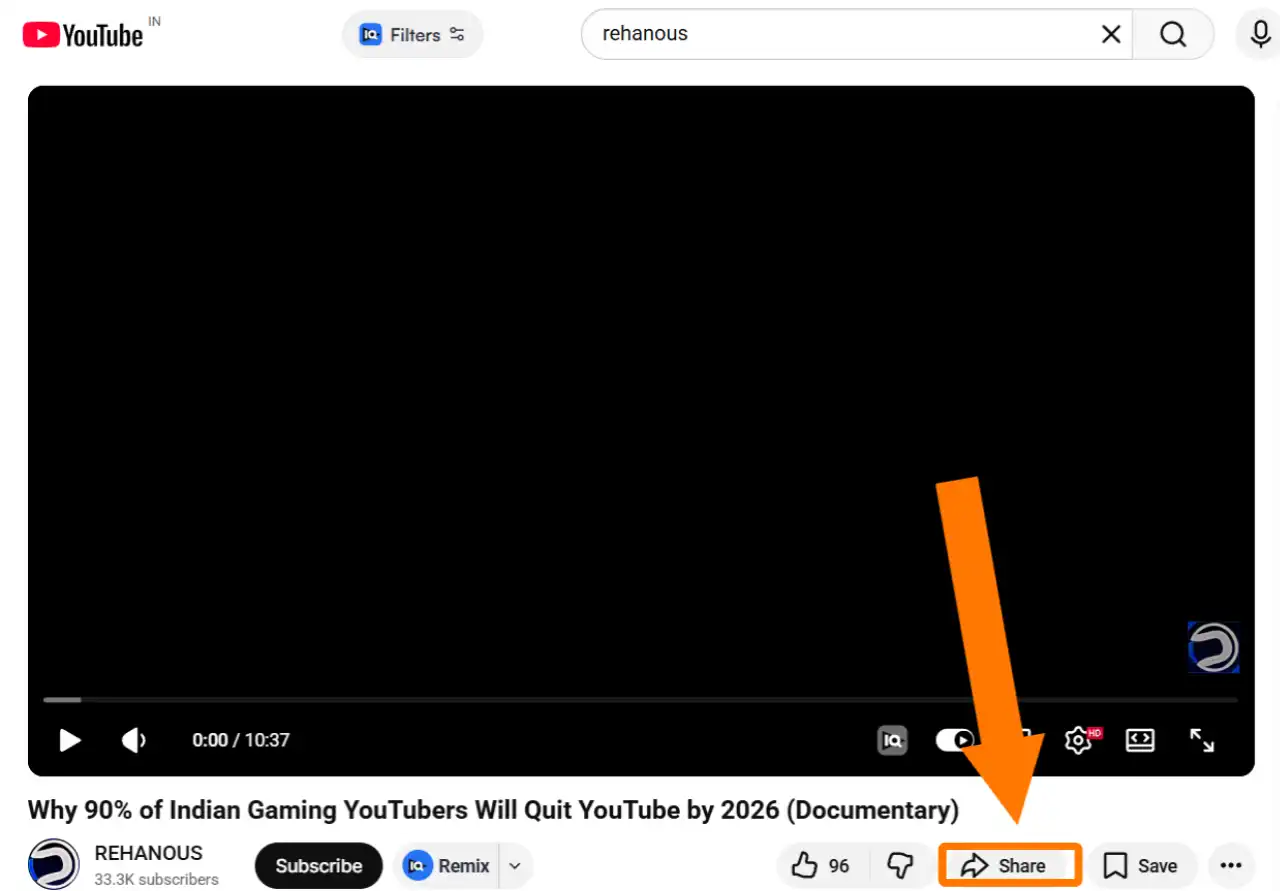
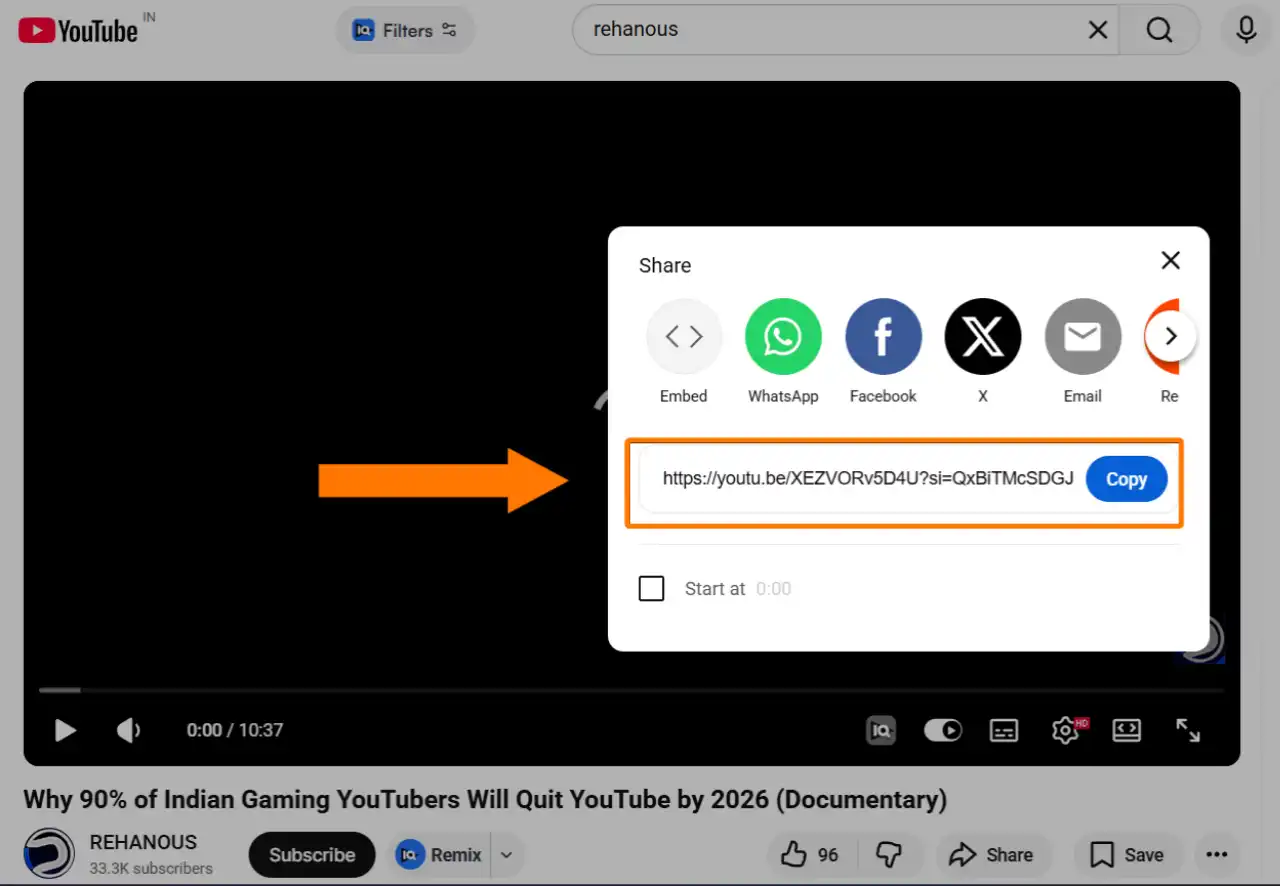
No account. No signup. No daily limits.
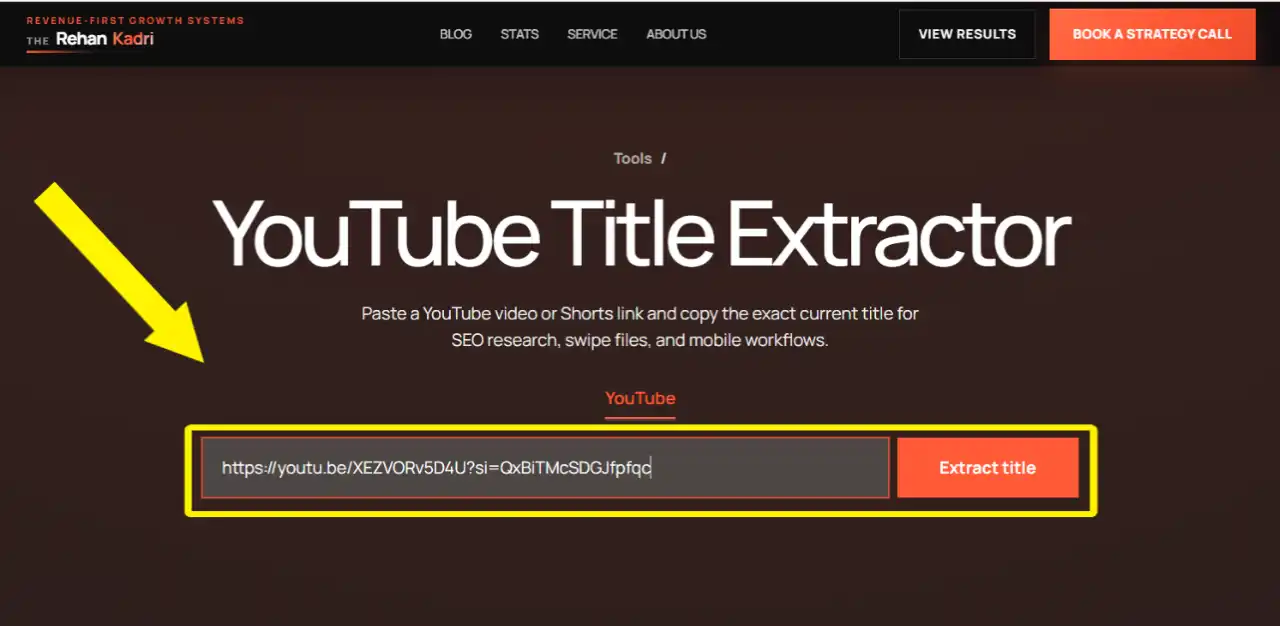
The tool pulls the data instantly.
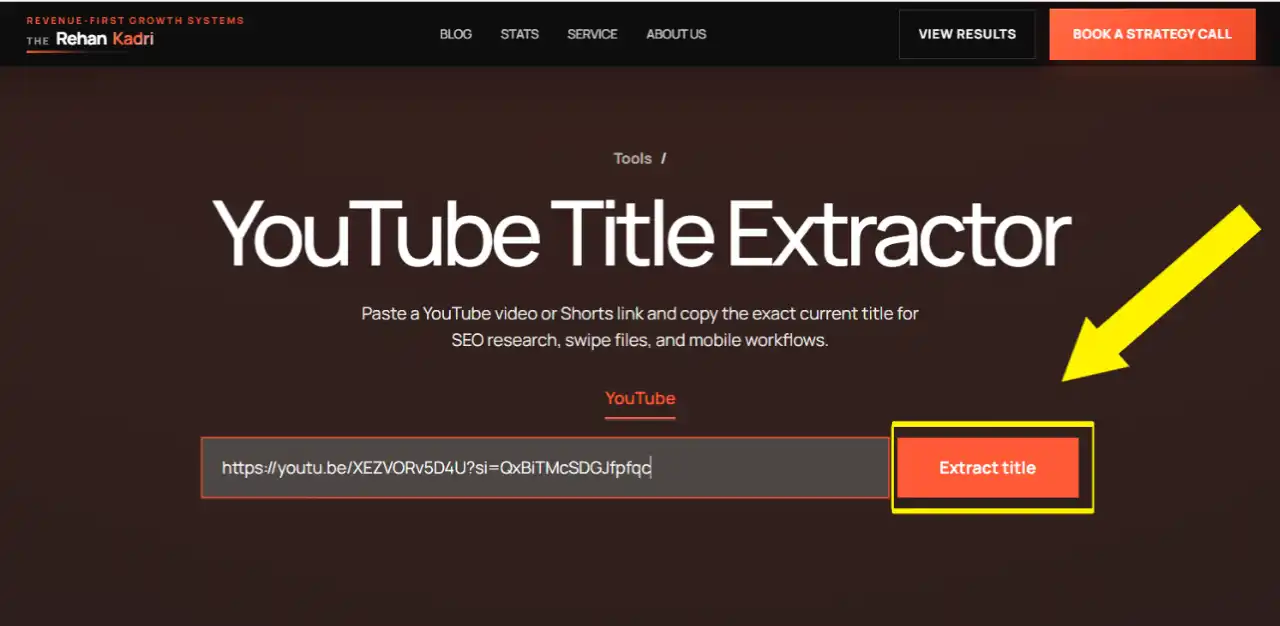
One-click copy to clipboard. Or download as a .txt file.
(Pro tip: run your top 5 competitors through this before writing your next video title. You will see exactly what is working in your niche.)
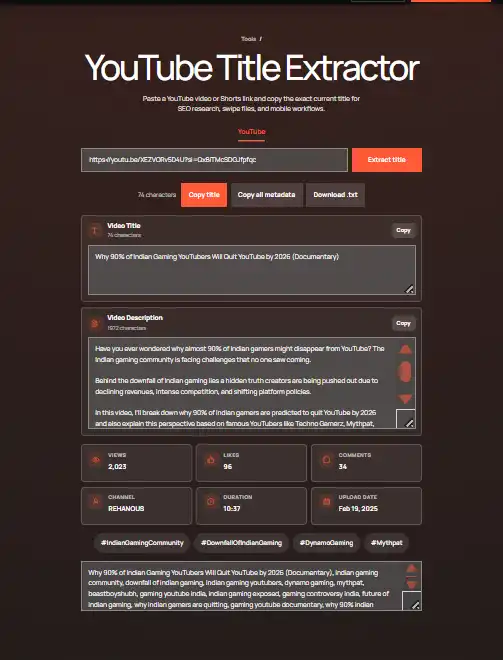
If you need to copy a YouTube video title, downloading the page or retyping the title is the slow way. Paste the video URL here and the tool extracts the exact current title in one click.
This helps when you are building a title swipe file, documenting competitor videos, or saving titles before a creator changes them. Use the download option when you want the title, description, tags, and other public metadata stored together as a text file.
For SEO research, do not stop at one title. Extract 10-20 titles from ranking videos, then compare keyword placement, hook style, length, and repeated phrases. That is how a simple YouTube title copy task turns into useful title strategy.
You get more than just the title.
One URL. Everything you need to reverse-engineer a top-performing video.
Here is the honest truth about YouTube SEO.
Your title is the single biggest factor in whether someone clicks your video or scrolls past it.
Not your thumbnail. Not your tags. Not your description.
The title.
Research shows that optimized titles can boost click-through rate by 25-40%. And according to an SSRN study analyzing over 1.3 million YouTube videos, the impact of higher CTR on total views can be 71 to 318 times larger than improving watch time alone.
Read that again. 71 to 318 times larger.
That means a better title does more for your channel growth than making longer videos. More than improving your audio quality. More than posting more consistently.
Fix your titles. Everything else follows.
Pulling the title is step one. Here is what to do with it.
YouTube displays roughly 60-70 characters in search results before cutting off. If a top-ranking video keeps its title under 65 characters, that is not an accident.
Count the characters on your own titles. Trim anything that pushes past 70.
Where does the primary keyword appear? In most top-ranking videos, it is in the first 3-5 words.
Front-loading your keyword is one of the easiest YouTube SEO wins available. Most creators put it at the end. You should put it at the start.
The best YouTube titles follow repeatable patterns. When you extract 10-20 titles from top videos in your niche, formulas jump out fast.
Common ones include:
Find the formula your niche responds to. Then use it.
Words like "proven," "exact," "complete," "free," "fast," and "without" drive curiosity and clicks. Extract a competitor's title and ask: which word is doing the emotional heavy lifting?
Then write your own version with a stronger hook.
Let's talk about what this actually means for your channel.
YouTube Search delivers an average organic CTR of 12.5%. Browse Features (the homepage) delivers around 3.5%.
The difference? Search traffic comes from people actively looking for something. If your title matches what they searched, they click. If it does not, they scroll.
This is why title research matters before you film anything. Not after.
Extract the titles from the top 10 videos for your target keyword. Count how many use that keyword in the first 5 words. Check average title length. Note which power words show up repeatedly.
That data tells you exactly what to write before you touch the camera.
The YouTube mobile app makes it annoying to copy video titles. You have to screenshot it, retype it, or switch to desktop.
This tool removes all of that.
Tap Share on any video, copy the link, paste it above, and you get the full title plus all the metadata in one click. Works on Android and iOS.
If you are auditing a client channel or doing competitive research across a niche, the fastest workflow is this:
Now you have a full swipe file. Title formulas, keyword patterns, character counts, tag strategies, and description structures all in one place.
This is how agencies build content strategies that actually work. Not guessing. Not "following trends." Looking at real data from real top-performing videos and building a system from it.
YouTube truncates titles in search results. Anything past 65-70 characters gets cut off. If your keyword or hook is at the end, nobody sees it.
YouTube's algorithm reads your title to understand what your video is about. So do searchers. Put the most important keyword in the first 3-5 words and everything else after.
Titles with specific numbers consistently outperform vague ones. "5 YouTube Title Mistakes" beats "Common YouTube Title Mistakes" every time. Numbers create a concrete expectation and that drives clicks.
Misleading titles damage your channel. If your title promises something your video does not deliver, viewers leave in the first 30 seconds. YouTube tracks that. High early drop-off kills your rankings fast.
Your title makes a promise. Your video has to keep it.
The title and thumbnail work together. They need to tell the same story. Extract top-ranking competitor titles and look at their thumbnails alongside. You will notice the best ones are saying the same thing in two different formats.
Here is something worth knowing.
YouTube citations in Google AI Overviews jumped 414% recently. How-To videos saw a 651% spike.
Google's AI is now reading video titles to decide which videos to cite as answers in search results.
That means your YouTube title is no longer just a CTR tool for YouTube search. It is also a retrieval signal for Google's AI.
Titles that are clear, specific, and keyword-rich get picked up. Vague or clever titles do not.
Write titles that tell the algorithm exactly what the video answers. Not what it is called. What question it solves.
Yes. Completely free. No login, no signup, no daily limits.
Yes. You also get the full description, tags, hashtags, timestamps, view count, likes, comments, and upload date.
Yes. Paste any Shorts URL and the tool extracts everything instantly.
Competitor research, swipe file building, SEO analysis, and content planning. Extracting top-ranking titles in your niche shows you exactly what keywords and formulas are working before you write your own.
60-70 characters for most videos. That is roughly 8-12 words. Keep your primary keyword in the first 3-5 words.
This tool works one video at a time. Paste each video URL separately to extract the data.
Yes. The title is one of the strongest ranking signals YouTube uses to understand and categorize your video. A keyword-optimized title improves search rankings, suggested video placement, and click-through rate.
In 2026, yes. Google's AI Overviews pull video titles directly to formulate answers. A clear, specific, keyword-rich title increases your chances of being cited in Google AI search results.
Paste any YouTube video URL into the tool above.
Pull the title, description, tags, and public metadata in one click. Then run your top competitors through it.
Compare their title length to yours. Check where they front-load keywords. Look at the power words they use. See what formulas keep showing up.
Most creators write titles from gut feeling. You will be writing from data.
That is the difference between guessing and growing.
Paste your first URL above and start.
Tool data is pulled from public YouTube video pages in real time. Works on all public YouTube videos and Shorts.