Descriptions
Descriptions — built into YouTube Description Extractor to streamline your workflow.
Paste a YouTube video or Shorts link and pull the public description, title, tags, hashtags, timestamps, and key metadata.
Copy the full description, tags and hashtags from any YouTube video — paste a URL, done. Built for speed, accuracy, and ease of use — no signup required.
Descriptions — built into YouTube Description Extractor to streamline your workflow.
Tags — built into YouTube Description Extractor to streamline your workflow.
Download .txt — built into YouTube Description Extractor to streamline your workflow.
Use the tool immediately without creating an account, signing in, or installing anything.
Leverages intelligent algorithms to generate results tailored to your niche and audience.
No hidden fees, no premium tiers, no credit card walls. Every feature is free.
YouTube descriptions can use up to 5,000 characters.
The first 200 characters carry the most visible SEO context.
Descriptions help YouTube and Google understand the video topic.
It takes about 10 seconds.
On desktop, copy it from the address bar. On mobile, tap the Share button and hit "Copy link."
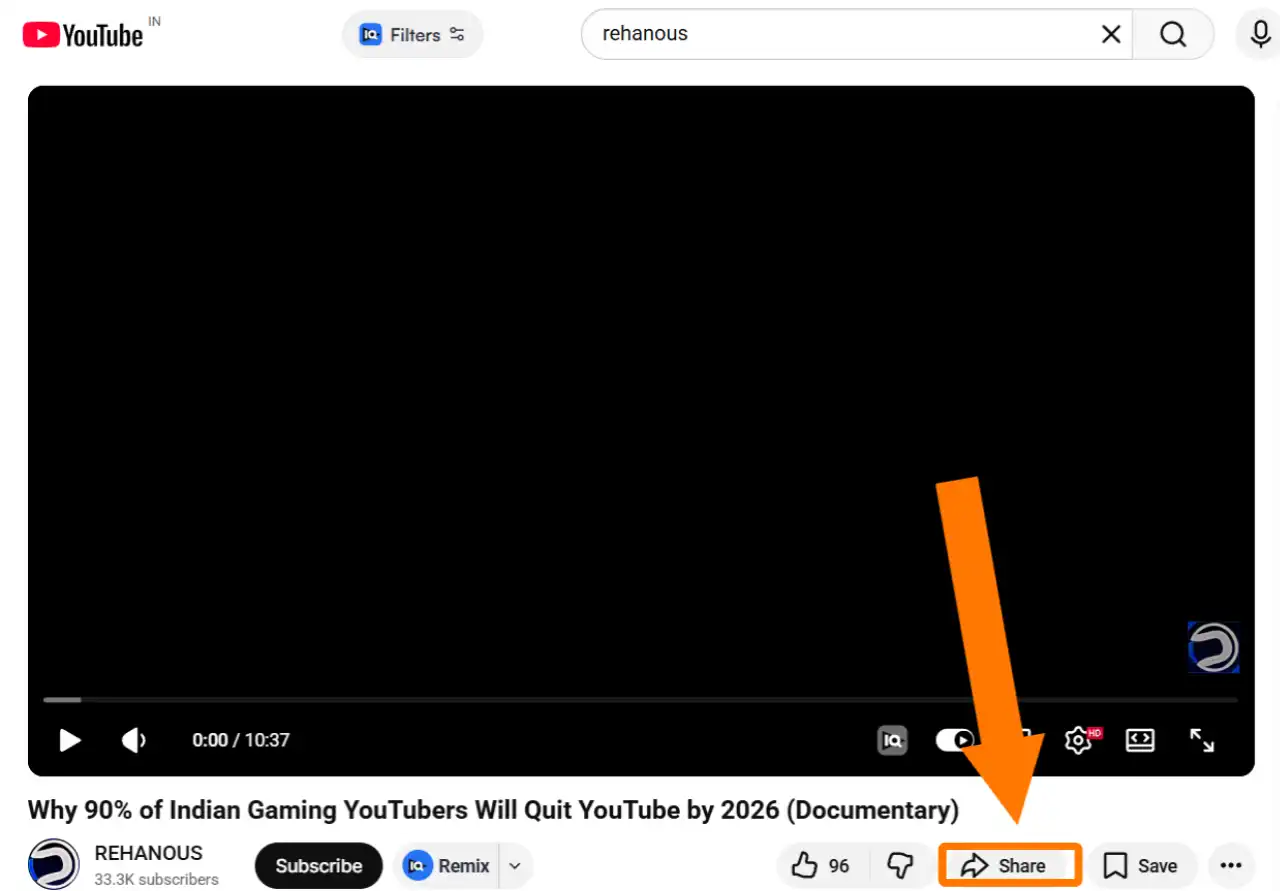
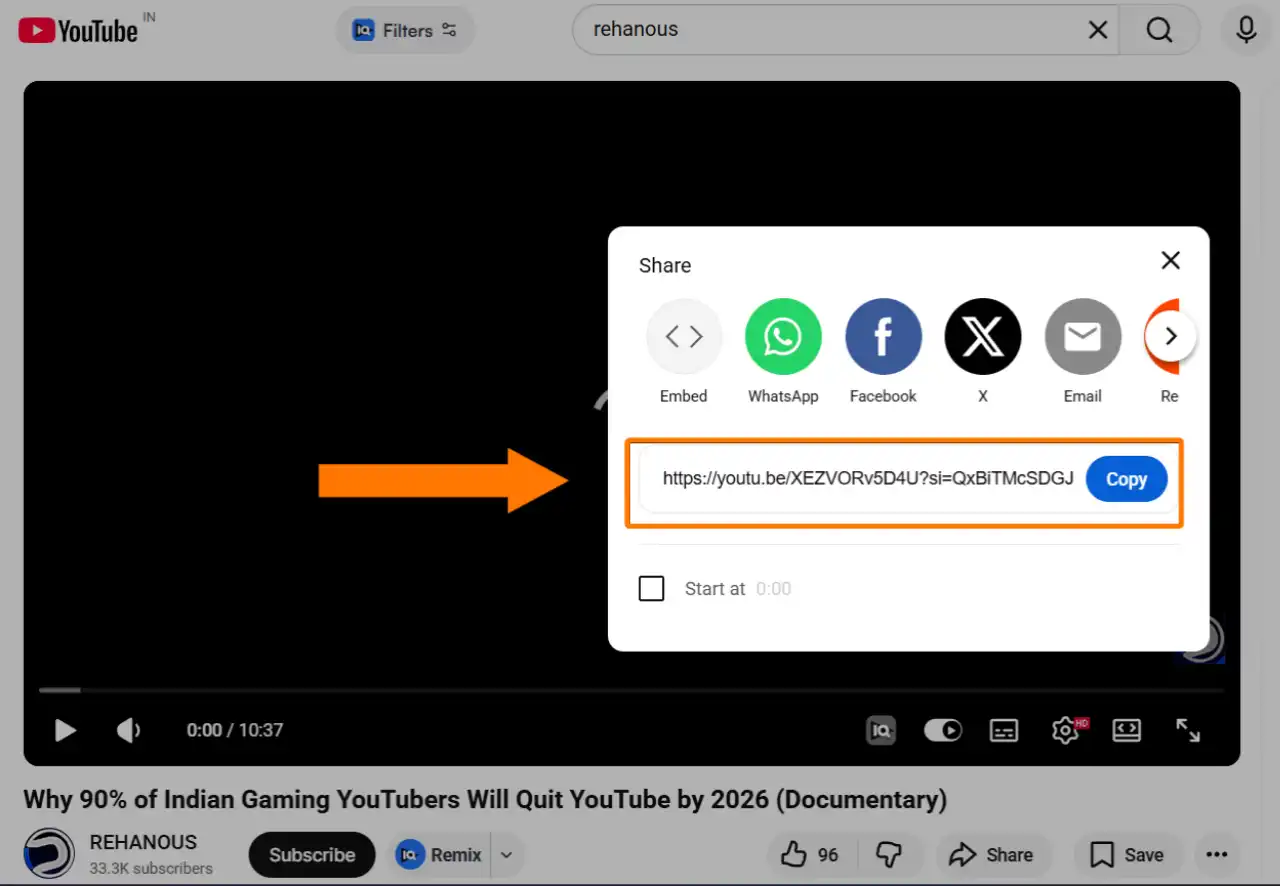
No account needed. No daily limits.
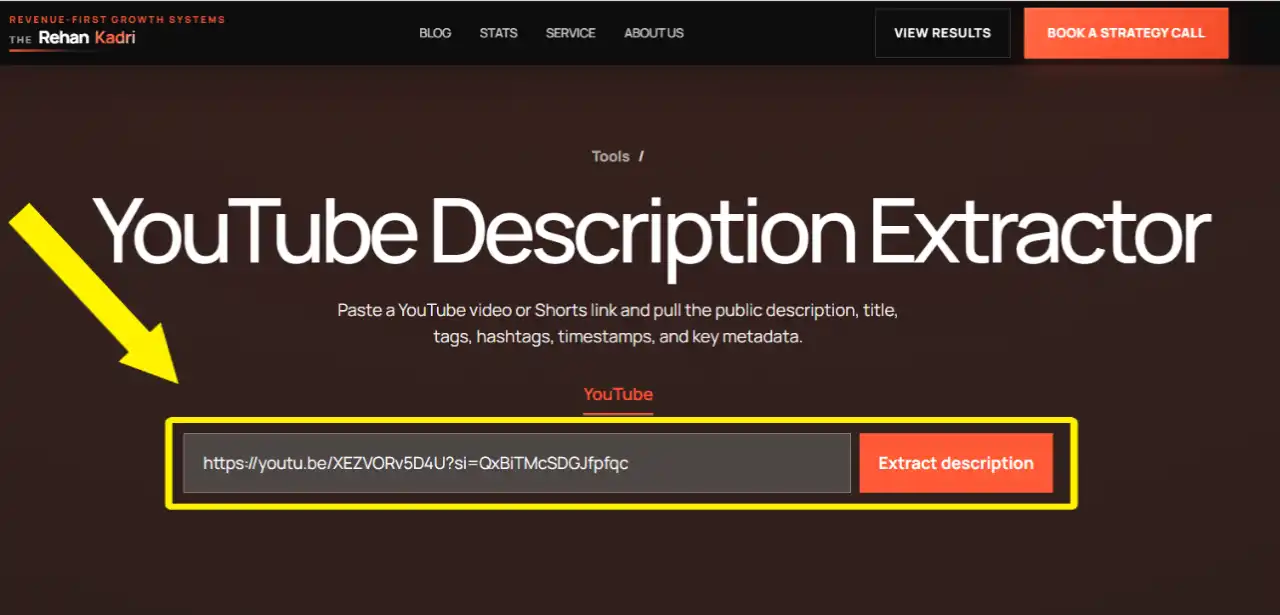
The tool pulls the data instantly.
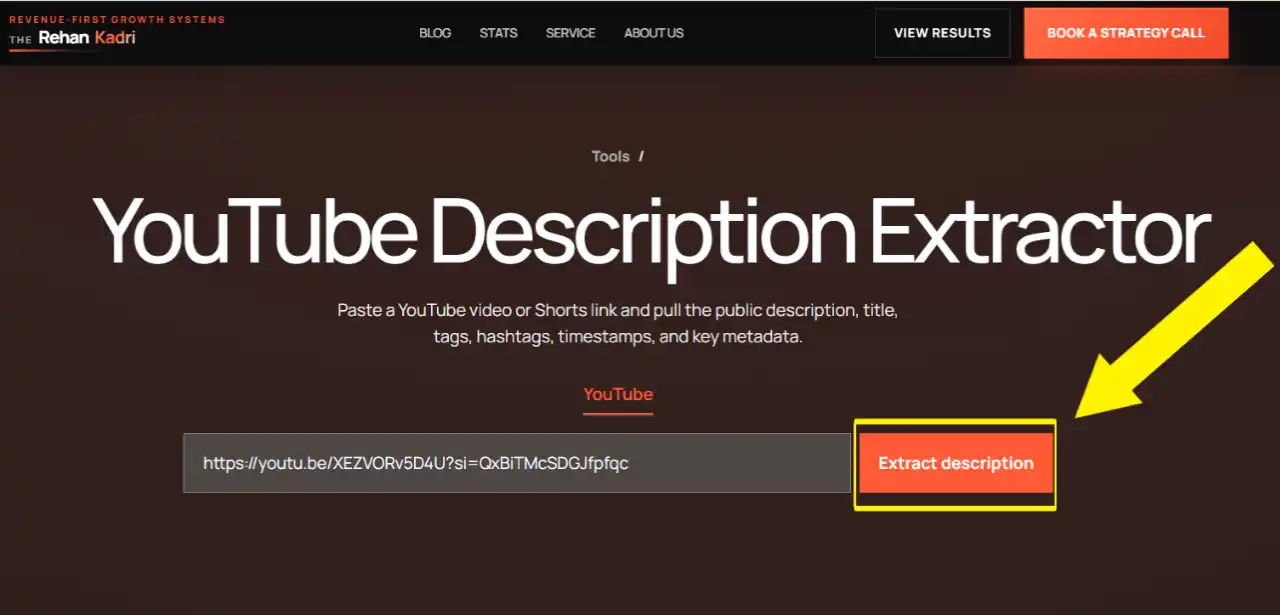
One-click copy to clipboard. Or download as a .txt file. Either works.
(Pro tip: run 5 competitor videos through it before you write your next description. You'll see patterns fast.)
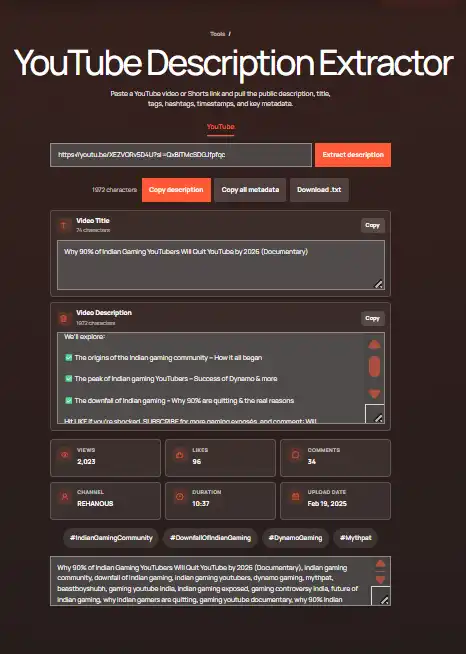
Sometimes you do not just need to copy a YouTube description. You need the link and description downloaded together so you can save research, document sources, or build a content brief.
Use this extractor as a YouTube description download tool when you want the public video URL, title, description, tags, hashtags, timestamps, and metadata in one place. Copy the fields for quick work, or download the result as a text file when you need a permanent record.
This is useful for agencies, editors, and creators who audit many videos. Instead of keeping one tab open for every competitor video, extract the metadata, save the file, and review everything later in a cleaner workspace.
Here's exactly what you get:
That's more than most tools give you. In one shot.
Here's the thing: the YouTube mobile app blocks you from selecting and copying description text.
Annoying? Yes. Common problem? Extremely.
This tool fixes it completely.
Just tap Share on any YouTube video, copy the link, paste it here, and you get the full description in one click. Works on Android and iOS. Takes under 10 seconds.
No more screenshot workarounds. No more switching to desktop.
Yes, this tool works on Shorts.
Grab the URL the same way: tap Share, copy the link, paste it above.
One thing to know: a lot of Shorts have basically empty descriptions. If that happens, you're not doing anything wrong. The creator just didn't fill it in. That's actually an opportunity. It means you can rank for the same topic with better metadata.
The tool processes one URL at a time. To do bulk research, run each URL separately and download each description as a .txt file.
Then compile them in a Google Doc or Notion page.
It takes a few extra minutes, but the data you get is MUCH more useful than anything a surface-level spy tool shows you.
Competitor research. See exactly what keywords the top 5 videos in your niche are targeting. Not guessing. Actually seeing. This alone can reshape your entire content strategy.
Audit your own channel. Pull your old video descriptions and check them against current best practices. Most creators are leaving serious traffic on the table with thin, 50-word descriptions.
Content repurposing. A good video description is basically a mini blog post. Extract it, expand it, and you have a draft for a newsletter, social caption, or article.
Finding links fast. Some videos mention 10-15 resources. Instead of scrubbing through a 20-minute video to find them, extract the description and grab every link in seconds.
Research and pattern spotting. If you pull 20 top-ranking video descriptions in a niche, patterns jump out fast. Title formulas, keyword placement, description length, CTA placement. That's your blueprint.
Extracting is step one. But what you DO with the data is where the real wins are.
Here's how to actually use what you pull:
Read the first 200 characters of the description. That's the only part visible in YouTube search results before the "Show more" cutoff.
Is the primary keyword there? If not, fix it. This is one of the fastest YouTube SEO wins you can make.
A well-optimized description usually follows this pattern:
When you extract a top-ranking competitor's description, check if they follow this structure. Most of them do.
YouTube allows 5,000 characters (roughly 800-1,000 words). The top-ranking videos in most niches use 400-800 words.
If you're writing 100-word descriptions and they're writing 600? That's part of why they're ranking above you.
Use what you find to inform your own writing. Not to copy. The goal is to understand what the algorithm is rewarding, then do the same thing with your own angle.
YouTube shows only the first 2-3 lines in search results. If your keyword isn't front-loaded, the algorithm has less reason to rank you. And searchers have less reason to click.
Most creators use 100-200 words max. Top-ranking educational and tutorial videos average 400-800 words. The more relevant context you give YouTube, the better it understands your video. Better understanding means better recommendations.
Timestamps make your description more useful to viewers. They also tell YouTube that your video has clear structure. And here's the kicker: they create chapter markers that show up directly in Google search results. That's extra SERP real estate for free.
Every top-performing video description has at least one. Subscribe. Watch the next video. Visit the website. Download the resource. Tell viewers exactly what to do next.
You might be wondering: does this stuff actually move the needle?
Here's the data.
Optimized titles can boost click-through rate by 25-40%, according to Influencer Marketing Hub's analysis of video performance across niches.
And here's why that matters: research from an SSRN study on 1.3 million YouTube videos found that the benefit of higher CTR on total views can be 71 to 318 times larger than improving watch time alone.
In other words: a better title and description does more for your channel than longer videos.
On top of that, videos with detailed descriptions get 35% more engagement than those with thin metadata. (Source: InfluenceFlow's 2026 creator research.)
Not bad for something you can fix in 20 minutes per video.
Here's something most creators don't know yet.
YouTube citations in Google AI Overviews jumped 414% recently. "How-To" videos saw an even bigger spike with citations up 651%.
What does that mean for you?
Google's AI is now pulling video titles and descriptions to build its AI Overview answers. If your metadata is structured clearly with specific facts, keywords, and timestamps, there's a real chance your video gets cited as an answer in Google search.
Not just YouTube search. Google search.
The creators who understand this early are going to win a LOT of traffic that their competitors don't even know exists.
The key is to write descriptions that are easy for an algorithm to parse. Short sentences. Factual statements. Keywords that match what people actually search for. Timestamps that break the video into clear topics.
Extract a competitor's description, compare it to yours, and ask: would a machine understand my video better or worse?
That's your gap.
Yes. Completely free. No signup, no login, no daily limits. Paste a URL and go.
Yes. Paste any YouTube Shorts URL and the tool extracts the full description, title, and metadata instantly.
The YouTube mobile app blocks text selection in the description. This tool solves it. Paste the video's share link and copy everything in one click.
No. The tool only works with public YouTube videos. Private, unlisted (in most cases), and deleted videos can't be accessed.
YouTube allows up to 5,000 characters. That's roughly 800-1,000 words. Most creators use less than 20% of that. Big mistake.
This tool works one video at a time. Paste each video URL separately to extract descriptions.
Yes. Video descriptions are publicly visible information. Extracting them for research, analysis, or competitive reference is completely fine. Just don't copy-paste someone else's description as your own.
Yes. YouTube's algorithm reads your description to understand what your video is about. A keyword-optimized description improves your chances of ranking in YouTube search and appearing in suggested videos. And in 2026, it also influences whether your video gets cited in Google AI Overviews.
Less for direct rankings. More for categorization and suggested video placement. Optimized metadata overall results in 30% more impressions, according to YouTube creator data. Tags are part of that.
Data from multiple 2026 creator studies points to 400-800 words for most videos. Educational and tutorial content can go up to 1,000 words. The first 200 characters are the most important. Get your main keyword there first.